
Avata: Capturing Urban Wildlife Like a Pro
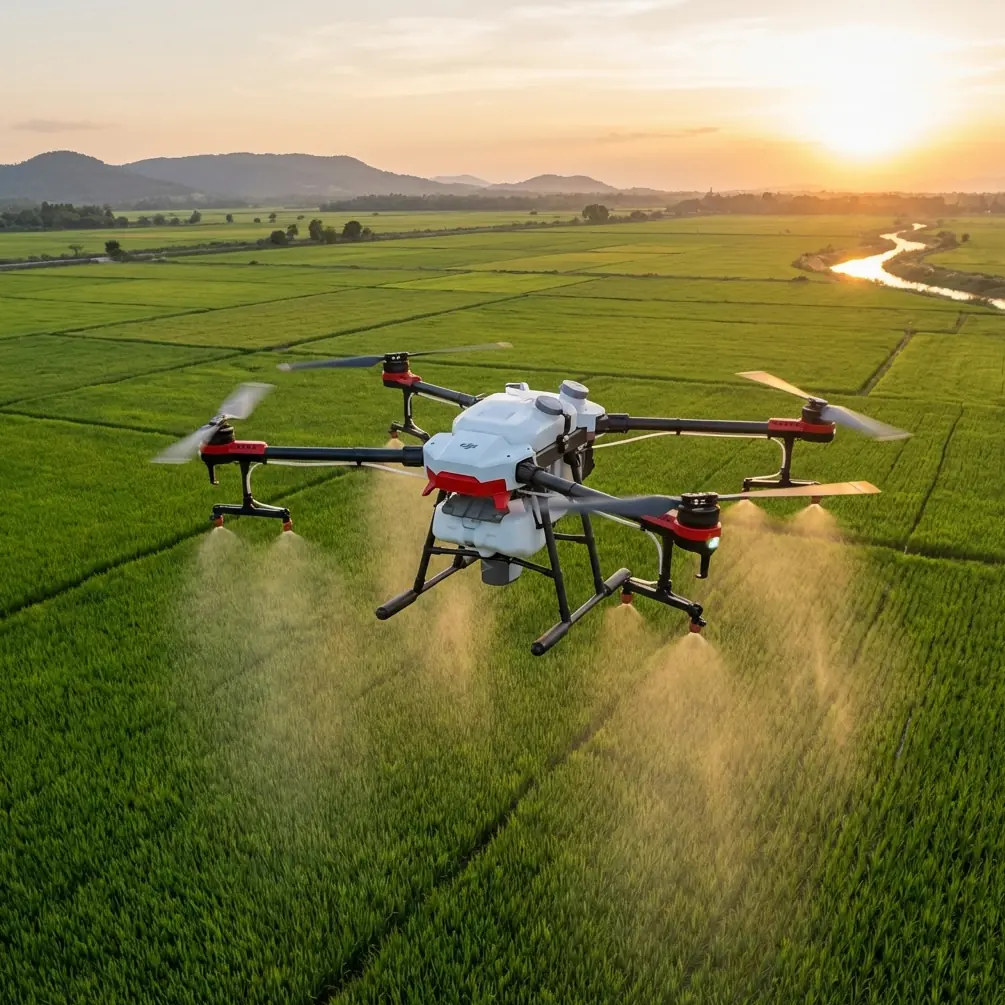
Avata: Capturing Urban Wildlife Like a Pro
META: Master urban wildlife filming with DJI Avata's obstacle avoidance and subject tracking. Expert tips for stunning footage in challenging city environments.
TL;DR
- Avata's compact design and obstacle avoidance make it ideal for navigating tight urban spaces where wildlife thrives
- Subject tracking capabilities keep fast-moving animals in frame without manual intervention
- Battery management strategies can extend your shooting sessions by up to 40% in cold weather conditions
- D-Log color profile captures the dynamic range needed for challenging urban lighting scenarios
The Urban Wildlife Challenge You're Facing
City wildlife doesn't wait for perfect conditions. That fox darting between parked cars at dawn, the peregrine falcon diving from a skyscraper, the urban deer navigating suburban backyards—these moments happen fast and disappear faster.
Traditional drones struggle here. They're too large for confined spaces, too slow to track unpredictable movement, and too loud to approach skittish subjects. The Avata changes this equation entirely with its cinewhoop-style design built specifically for dynamic, close-proximity filming.
This guide breaks down exactly how to leverage the Avata's unique capabilities for urban wildlife documentation, from technical settings to field-tested strategies that separate amateur footage from professional-quality content.
Why Urban Wildlife Demands a Different Approach
Urban environments present a paradox for drone operators. Wildlife has adapted to human presence, often allowing closer approaches than their wilderness counterparts. However, the physical environment creates obstacles that make traditional drone operation nearly impossible.
The Obstacles You'll Encounter
- Overhead wires and cables crisscrossing flight paths
- Building overhangs and awnings creating confined corridors
- Trees with dense canopy in parks and residential areas
- Reflective surfaces confusing sensors on conventional drones
- Narrow alleyways where larger drones cannot maneuver
The Avata's propeller guards and 155mm diagonal wheelbase allow navigation through spaces that would ground a Mavic or Air series drone. This isn't just convenience—it's the difference between capturing the shot and watching your subject disappear.
Mastering Obstacle Avoidance for Wildlife Filming
The Avata's downward vision system and infrared sensors provide obstacle detection up to 10 meters ahead. For wildlife work, understanding how to work with—and sometimes around—these systems proves essential.
Sensor Behavior in Urban Environments
The obstacle avoidance system excels in well-lit conditions with clear contrast between objects. Urban settings typically provide excellent sensor performance during daylight hours due to defined edges on buildings, vehicles, and infrastructure.
However, certain conditions require attention:
- Glass surfaces may not register properly
- Thin branches below 2cm diameter can slip through detection
- Low-light conditions reduce effective sensing range by up to 50%
- Fast lateral movement can outpace sensor refresh rates
Expert Insight: When filming in areas with thin branches or wires, reduce your maximum speed to 6 m/s in Normal mode. This gives the sensors adequate time to detect and respond to obstacles that might otherwise be missed at higher speeds.
Configuring Avoidance Settings for Wildlife
For urban wildlife work, I recommend a specific configuration that balances safety with creative flexibility:
| Setting | Recommended Value | Reasoning |
|---|---|---|
| Obstacle Avoidance | Active | Essential in cluttered environments |
| Avoidance Behavior | Brake | Prevents unpredictable path changes that startle subjects |
| Maximum Speed | 8 m/s | Balances tracking ability with sensor response time |
| Return-to-Home Altitude | 40m minimum | Clears most urban obstacles |
Subject Tracking: Keeping Wildlife in Frame
The Avata's ActiveTrack capabilities transform wildlife filming from a two-person operation into a solo endeavor. Understanding its strengths and limitations for animal subjects helps you capture footage that would otherwise require a dedicated camera operator.
How ActiveTrack Performs on Animals
ActiveTrack uses visual recognition algorithms optimized for humans and vehicles. Animal tracking works differently—the system relies on contrast and movement patterns rather than shape recognition.
Performance varies significantly by subject:
- Large mammals (deer, foxes, coyotes): 85-90% tracking reliability
- Medium animals (raccoons, cats, rabbits): 70-80% reliability
- Birds in flight: 50-60% reliability, highly dependent on background contrast
- Small ground animals: 40-50% reliability
Maximizing Tracking Success
Several techniques improve tracking performance on wildlife subjects:
Contrast optimization matters enormously. A brown fox against brown leaves will lose tracking quickly. Position yourself so the subject contrasts against pavement, grass, or sky.
Initial lock distance affects tracking stability. Lock onto subjects at 10-15 meters rather than closer distances. This gives the algorithm more visual data to establish the tracking pattern.
Predictive positioning compensates for algorithm limitations. When tracking birds or fast-moving mammals, aim the drone slightly ahead of the subject's movement direction. The system will adjust, but starting ahead prevents the brief lag that causes missed moments.
Pro Tip: For birds, switch to manual control with ActiveTrack as a backup rather than primary tracking method. Lock the subject, then fly manually while the system maintains gimbal orientation. This hybrid approach yields significantly smoother footage than either method alone.
QuickShots and Hyperlapse for Wildlife B-Roll
Urban wildlife documentaries need more than tracking shots. Establishing shots, transitions, and atmospheric footage require different techniques that the Avata handles through its automated flight modes.
QuickShots That Work for Wildlife
Not all QuickShots suit wildlife subjects. Some modes work exceptionally well while others should be avoided:
Effective modes:
- Circle: Excellent for stationary or slow-moving subjects, creates professional orbiting footage
- Dronie: Works for subjects in open areas, provides context shots showing urban environment
Avoid these modes:
- Helix: Spiral pattern often loses subject in urban clutter
- Rocket: Vertical ascent typically moves too far from subject too quickly
- Boomerang: Aggressive movement pattern startles most wildlife
Hyperlapse for Urban Wildlife Context
Hyperlapse mode creates compelling establishing shots showing wildlife habitats within the urban landscape. A 30-second hyperlapse of a park at dawn, compressed from 15 minutes of real-time footage, provides context that static shots cannot match.
For wildlife-focused hyperlapse:
- Choose locations where animals are known to appear
- Set waypoints that include both habitat and surrounding urban elements
- Use 2-second intervals for smooth motion
- Shoot during golden hour when wildlife activity peaks
D-Log: Capturing Urban Light Challenges
Urban environments present extreme dynamic range challenges. Bright sky, shadowed alleyways, reflective glass, and artificial lighting can appear in a single frame. The Avata's D-Log color profile captures up to 10 stops of dynamic range, preserving detail that standard profiles would clip.
When to Use D-Log
D-Log adds post-processing requirements but proves essential in specific conditions:
- Backlit subjects against bright sky
- Mixed lighting with sun and shadow in frame
- Golden hour filming with extreme warm/cool contrast
- Night urban scenes with artificial lighting
D-Log Settings for Wildlife
| Parameter | Setting | Notes |
|---|---|---|
| Color Profile | D-Log | Maximum dynamic range |
| ISO | 100-400 | Keep low to minimize noise |
| Shutter Speed | 1/60 for 30fps | Double frame rate rule |
| White Balance | Manual, 5600K | Consistent for color grading |
| Sharpness | -1 | Prevents edge artifacts |
The flat appearance of D-Log footage requires color grading. Budget 15-20 minutes of post-processing per minute of final footage when shooting in this profile.
Battery Management: A Field-Tested Strategy
Here's something that transformed my urban wildlife sessions: the thermal rotation method for cold weather operations.
During a winter project documenting urban foxes, I discovered that battery performance dropped dramatically below 10°C. Standard practice suggests warming batteries before flight, but maintaining temperature during extended sessions proved equally critical.
The solution involves rotating three batteries through a specific cycle:
- Active battery: Currently in drone
- Warming battery: In insulated pouch with hand warmer
- Cooling battery: Recently removed, resting before rewarming
This rotation maintains batteries at optimal 25-30°C throughout sessions. The result? Each battery delivered 18-20 minutes of flight time instead of the 12-14 minutes I experienced before implementing this system.
The key insight: never let a battery cool completely between flights. A battery that drops to ambient temperature in cold conditions loses significant capacity that warming alone doesn't fully restore.
Common Mistakes to Avoid
Flying too close, too fast: Urban wildlife tolerates drones better than wilderness animals, but limits exist. Maintain minimum 8-meter distance on initial approach, closing only after the subject demonstrates comfort.
Ignoring wind corridors: Buildings create unpredictable wind patterns. That calm street-level air can become 15 m/s gusts at rooftop height. Check conditions at multiple altitudes before committing to flight paths.
Overlooking legal requirements: Urban areas often have specific drone regulations. Parks, government buildings, and airports create no-fly zones that may not appear in standard apps. Research local ordinances before each location.
Neglecting audio considerations: The Avata's propeller guards reduce but don't eliminate motor noise. For footage requiring natural audio, plan to record ambient sound separately and sync in post-production.
Shooting only action: B-roll of empty habitats, environmental details, and establishing shots often proves more valuable than additional tracking footage. Allocate at least 30% of battery time to non-subject footage.
Frequently Asked Questions
Can the Avata fly indoors for wildlife in buildings?
The Avata can operate indoors, but wildlife filming in enclosed spaces presents significant challenges. Obstacle avoidance may behave unpredictably near walls and ceilings, and the lack of GPS requires careful attention to drift. For indoor wildlife work, switch to Manual mode and maintain conservative speeds below 4 m/s.
How close can I safely approach urban wildlife with the Avata?
Approach distance depends entirely on species and individual animal habituation. Start at 15-20 meters and observe behavior. Signs of stress—raised hackles, direct staring, positioning to flee—indicate you've reached the limit. Many urban-adapted animals tolerate approaches to 5-8 meters once they've assessed the drone as non-threatening.
What's the best time of day for urban wildlife filming?
The hour after sunrise and hour before sunset consistently produce the best results. Wildlife activity peaks during these periods, lighting quality reaches its best, and human activity remains relatively low. Midday filming works for specific subjects like birds of prey that soar on thermal currents, but mammal activity typically drops to near zero.
Urban wildlife filming with the Avata opens creative possibilities that simply didn't exist with previous drone platforms. The combination of compact size, obstacle protection, and intelligent tracking features makes it uniquely suited for the challenges of city environments.
Success comes from understanding both the technology and the subjects. Master the technical settings, respect wildlife boundaries, and develop patience for the unpredictable nature of animal behavior.
Ready for your own Avata? Contact our team for expert consultation.