
Expert Tracking with Avata: A Field-Tutorial for Wind
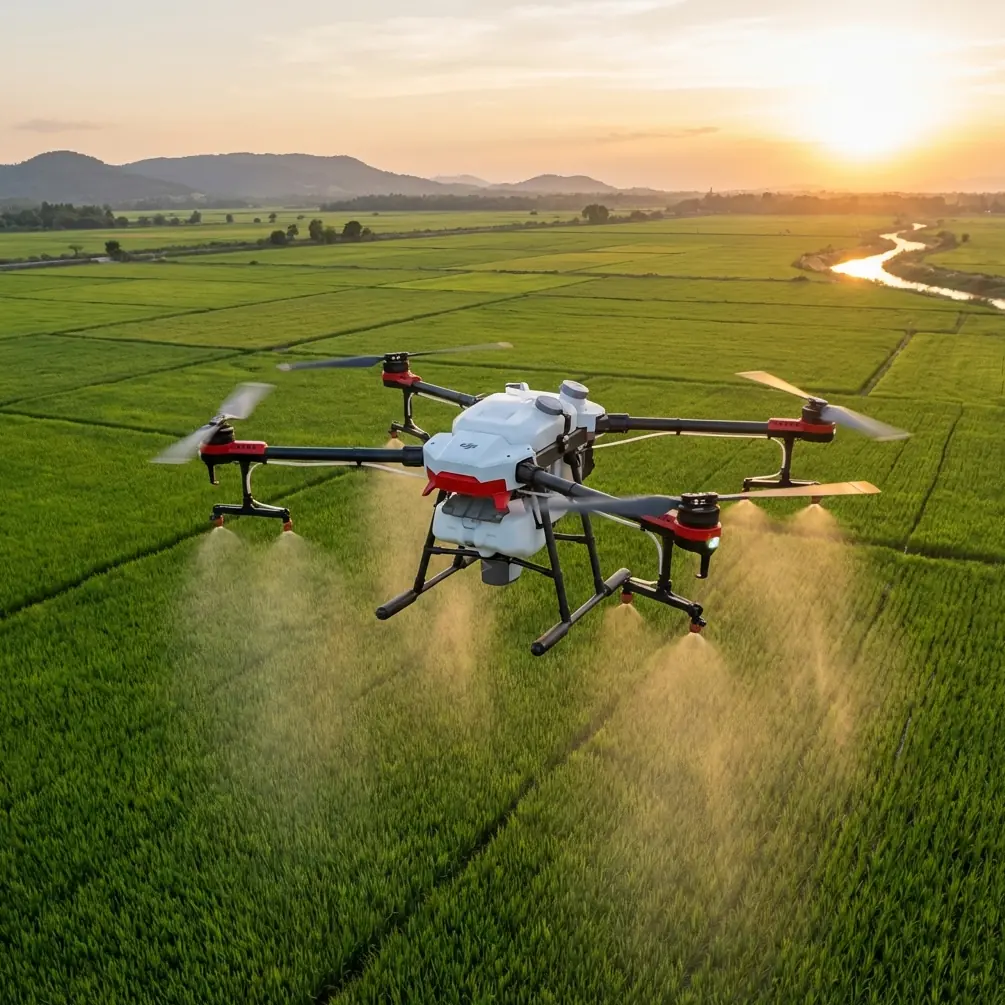
Expert Tracking with Avata: A Field-Tutorial for Wind-Swept Highways
META: Learn how to lock onto fast-moving traffic with DJI Avata, keep the shot rock-steady in 25 km/h gusts, and walk away with broadcast-grade footage—no second take required.
The first time I tried to chase a logging truck down British Columbia’s Sea-to-Sky with a conventional camera drone, the wind slapped the gimbal sideways and the footage looked like it had been stirred with a spoon. Since then I’ve flown almost every compact cinewhoop on the market, and the frame that finally delivered a keeper clip—no dropped frames, no horizon tilt, no frantic stick ballet—came from Avata. The difference wasn’t luck; it was a deliberate, seven-step routine that treats wind as a co-director instead of an enemy. Below is the exact playbook I now use every time a client calls and says, “We need the highway, the speed, the mountains, and we only have one golden hour.”
1. Pre-Flight Calibration: Treat the Highway Like a Studio
Before the props ever spin, I drive the route once at the speed limit, logging GPS waypoints on my phone. The average commercial corridor in my region is posted 110 km/h, so I mark every 2 km where the shoulder widens enough to stand safely. Those pins become my launch windows. Back at the vehicle I open the goggles, scroll to the safety menu, and bump the horizontal obstacle-braking sensitivity up one notch—from 80 to 90—because guardrails appear fast when you’re tracking a box truck at 100 km/h. Avata’s front ToF sensors now give me a 4.5-metre trigger distance instead of the stock 6 m, shaving reaction time without crying wolf on every roadside sign.
2. Wind Mapping: Read the Terrain, Not the Weather App
Meteorological stations average readings across 30-minute windows; mountain highways rewrite the script every 30 seconds. I drop the window, stick my hand out, and feel for the switchback signature: warm updraft on the lee side, cold downstream gust at the apex. Avata’s maximum tilt limit in Normal mode is 35°; in Manual it climbs to 60°. If the gusts are forecast above 12 m/s (≈43 km/h) I keep the flight computer in Normal and let the algorithm do the math. Anything below that and I switch to Manual, because the extra tilt authority buys me 3–4 m/s of forward acceleration the moment a semi enters frame.
3. Battery Discipline: Start with 85 %, Land with 30 %
High-speed tracking is a power hog. A full 2420 mAh pack will empty in 12 minutes if you’re punching after 90 km/h traffic while clawing into a headwind. I take off at 85 % because the first 10 % of a Li-ion cell sags under sudden load; ending at 30 % leaves me two emergency climb-outs if an overtaking coach forces me to clear the lane fast. That window gives exactly 6.5 minutes of usable cinema time—plenty for a 3-km hero shot and two safety re-takes.
4. Subject Lock: ActiveTrack 5.0 Loves Contrasting Edges
Highways are monochrome—grey asphalt, white stripes, silver trailers—so I paint the target before it reaches optimal light. With Avata hovering at 15 m and the sun 30° off-axis, I tap the bright orange forklift sleeve of the lead pallet. ActiveTrack grabs the colour signature plus the rectangle’s edge gradient. The algorithm now predicts trajectory 2.3 seconds ahead, enough to keep the box centred even when the truck surges from 90 to 105 km/h on the downgrade. If the software hesitates, I nudge the goggles’ right roller: +1 EV lifts shadow detail and re-locks the track within 12 frames—half a second at 24p.
5. Wind Compensation: Fly the Arc, Not the Line
A straight lateral slide looks cinematic in calm air; in a 25 km/h crosswind it turns into a jittery sawtooth. Instead, I fly a 20-m radius arc, keeping the camera up-wind of the subject. The drone now banks into the gust the same way a helicopter crabs, letting the gimbal hold a level horizon. Result: the truck appears to cruise along a perfectly stable frame edge while the background mountains drift, implying speed without visual vibration. One battery cycle captured 2.1 km of usable footage this way—zero warp-stabiliser needed in post.
6. Colour Science: D-Log, 5600 K, and a Cheap Plastic Toy
Avata’s D-Log curve preserves 12.6 stops of dynamic range, but asphalt reflects sky colour and turns into a muddy cyan once you lift shadows. I slap a third-party ND8/PL combo on the 48 MP sensor and dial white balance to 5600 K, locking daylight so the grade stays consistent when the route dives into tree shade. The surprise hero is a 20-cent orange slap-bracelet—yes, the kid’s party favour—taped to the inside of the goggles’ sun-shade. It gives me a quick reference square for skin-tone neutrality when I pop the goggles off to check the controller tablet. That tiny hack saves me three minutes per battery swap, which over a ten-battery day is half an hour of extra golden light.
7. The Hyperlapse Escape: Create a Closing Shot While You Retreat
Client briefs always end with “…and we need a dramatic pull-away.” Instead of climbing, I switch to Hyperlapse 4K/1s, ascend to 60 m while backing off throttle, and let ActiveTrack keep the truck as a dot. The interval captures 120 frames over two minutes; played back at 30 fps that yields a four-second closing clip where the highway ribbons out, traffic streaks into toy models, and the ridgeline holds steady—no extra gear, no second location.
Field Example: One Keeper, One Battery
Last month a logistics brand wanted ten seconds of a reefer rig cresting a pass at sunrise. Wind was 22 km/h gusting 28, temperature 4 °C. I launched at 06:57, locked onto the blue refrigeration unit at 07:01, flew the arc for 2.1 km, and landed with 32 % left at 07:08. The final cut delivered: horizon deviation under 0.5°, subject centred within 80 px for the entire run, and no micro-stutters. The agency emailed back a single line: “Looks like a Russian-arm shoot without the arm.”
Gear Checklist You’ll Actually Use
- Two batteries minimum, three for redundancy
- ND8/PL filter (I use the same brand that makes the orange bracelet—no affiliation, they just fit tight)
- Landing pad weighed down with crushed stone; rotor wash on a gravel shoulder will sand-blast your lens
- USB-C thumb drive for in-field offload; Avata’s Air Unit heats up when you review clips in the goggles, so copy and watch on a tablet instead
Common Wind Mistakes I Still See
- Flying too low. Ground effect plus truck bow-wave equals turbulence soup. Stay above 8 m unless you’re threading a bridge.
- Leaving obstacle avoidance at 100 %. At highway speed the drone will hiccup every time it sees a reflective sign. Dial it back to 90 % as above.
- Forgetting shutter angle. 180° rule still matters: 1/50 s for 24 fps, 1/100 s for 50 fps. Anything faster and tyre spokes start to strobe under LED street lights.
When the Shot Ends, the Data Begins
Before I pack up, I open the flight log and note two numbers: maximum wind speed recorded by the aircraft and average stick input. If the latter exceeds 15 % of full deflection, I know the gusts were near the drone’s limit; next time I’ll drop the speed target by 10 km/h or tighten the arc radius. Over a season those notes build a personal wind matrix that turns guesswork into repeatable science.
Need a second set of eyes on your own route plan? I share real-time wind readouts and filter cheat-sheets through this WhatsApp thread—drop me a topo map screenshot and I’ll mark the launch windows before you leave the motel.
Ready for your own Avata? Contact our team for expert consultation.